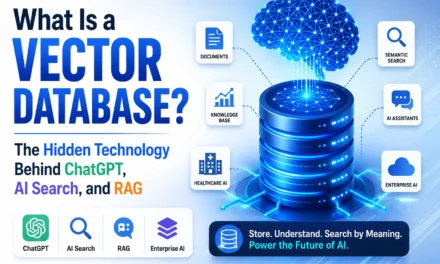


What Is a Vector Database? The Hidden Technology Behind ChatGPT, AI Search, and RAG
Every time you ask ChatGPT a question, search a modern e-commerce site, or get an eerily accurate Spotify recommendation, a quiet piece of infrastructure is working behind the scenes — one that most people have never heard of: the vector database. This article unpacks exactly what it is, why it exists, and how it powers the AI systems reshaping healthcare, enterprise software, and search itself.
The Question Nobody Asks
Type a question into ChatGPT and hit Enter. In under two seconds, you get an answer that feels like it understood not just your words, but your intent. Ask a hospital’s internal AI assistant “What’s our protocol for a patient presenting with chest pain and a penicillin allergy?” and it pulls together fragments from three different SOP documents, a drug interaction guideline, and a clinical pathway — instantly.
How? Google can search billions of web pages in milliseconds, but Google mostly matches words. ChatGPT and modern AI search engines do something different: they search meaning. They don’t look for the string “chest pain” in a document — they understand that “chest pain,” “cardiac discomfort,” and “angina” are conceptually related, even when none of the exact words overlap.
Traditional databases — the SQL systems that have powered software for fifty years — have no concept of “meaning.” They are brilliant at exact matches and terrible at nuance. So how does an AI system search by meaning across millions of documents, images, or products in milliseconds?
The answer is a technology quietly running underneath almost every serious AI product built today: the vector database.
Introduction: The Hidden Backbone of the AI Revolution
We are in the middle of an unprecedented shift in how software understands information. ChatGPT, Microsoft Copilot, Google’s AI Overviews, healthcare clinical assistants, legal research tools, and enterprise knowledge bases all share one architectural pattern: they need to find relevant information from a massive pool of unstructured data — fast, and based on meaning rather than exact keywords.
This is exactly what a technique called Retrieval-Augmented Generation (RAG) solves, and RAG cannot exist without a vector database sitting at its core. Whether it’s a hospital assistant retrieving clinical guidelines, a customer support bot pulling the right help article, or a code assistant finding a relevant function across a massive codebase, the underlying mechanism is the same: convert information into a mathematical representation of meaning, store it efficiently, and search it by similarity rather than by exact text.
This article will take you from complete beginner to confident explainer — covering embeddings, semantic search, RAG, real vector database tools, and how to actually build with them.
Why Traditional Databases Are No Longer Enough
Relational (SQL) databases like MySQL, PostgreSQL, and Oracle organize data into rows and columns. A “patients” table has columns like patient_id, name, diagnosis. To find something, you write a query like SELECT * FROM patients WHERE diagnosis = ‘diabetes’. This works perfectly — as long as you know the exact value you’re looking for.
The problem: human language and unstructured data (text, images, audio, PDFs) don’t fit neatly into rows and columns, and they rarely match exactly. If a doctor searches “sugar disease” instead of “diabetes,” a SQL query returns nothing, even though the meaning is identical.
| Aspect | Traditional (SQL) Database | Vector Database |
| Data structure | Rows and columns | High-dimensional numerical vectors |
| Search method | Exact match / keyword match | Similarity / meaning-based match |
| Best for | Structured, transactional data | Unstructured data — text, images, audio |
| Query example | WHERE diagnosis = ‘diabetes’ | “Find documents about blood sugar disorders” |
| Handles synonyms/context | No | Yes |
| Powers | Banking, inventory, CRM | AI search, RAG, recommendations, chatbots |
| Typical query result | Rows that exactly satisfy conditions | Top-K most semantically similar items |
[IMAGE: Side-by-side diagram comparing a SQL table search versus a vector database similarity search]
Did You Know? A SQL query for “heart attack” will not return a document that only mentions “myocardial infarction” — even though they mean exactly the same thing. This single limitation is why keyword-only systems fail at real-world AI search.
What Is a Vector Database? Five Definitions
Simple definition: A vector database is a system that stores information as lists of numbers (called vectors) representing meaning, and lets you search by “what’s similar to this,” not just “what matches this exactly.”
Technical definition: A vector database is a specialized data store optimized for indexing, storing, and querying high-dimensional vector embeddings using approximate nearest neighbor (ANN) algorithms such as HNSW (Hierarchical Navigable Small World graphs) or IVF (Inverted File Index), enabling fast similarity search at scale.
Business definition: It’s the infrastructure that lets your company’s AI assistant “understand” your documents, products, or knowledge base well enough to answer questions accurately instead of guessing.
Developer definition: It’s a database where you insert embeddings (arrays of floats, typically 384–3072 dimensions) plus metadata, and query it with “find the top K vectors closest to this one,” instead of writing SQL WHERE clauses.
Enterprise definition: It’s the retrieval layer that connects proprietary, private, or fast-changing organizational data to large language models — without retraining the model — forming the foundation of trustworthy, accurate enterprise AI.
Analogy #1: The Library With a Genius Librarian
Imagine a library where books aren’t sorted alphabetically by title, but by meaning. A regular library index can only tell you “yes/no, this exact word is on this exact shelf.” Now imagine a librarian who has read every book and organizes them so that books about similar ideas sit near each other — a book on diabetes management sits right next to one on insulin therapy, even if they never share a single sentence.
Ask this librarian “I need something about managing blood sugar,” and she doesn’t scan titles — she walks straight to the shelf where meaning lives. That’s precisely what a vector database does: it’s a librarian who organizes and retrieves by concept, not by spelling.
Analogy #2: Google Maps and “Nearest Locations”
When you search “coffee shops near me,” Google Maps doesn’t look for shops named “Near Me.” It calculates your GPS coordinates and finds the physically closest points on a map. A vector database does the same thing, except instead of latitude and longitude, each “location” is a point in a mathematical space with hundreds of dimensions, and “closeness” represents similarity in meaning rather than physical distance.
[IMAGE: Google Maps-style diagram showing “nearest neighbor search” concept applied to abstract vector space]
Analogy #3: Spotify’s “Because You Listened To…”
Spotify represents every song as a vector capturing its tempo, genre, mood, and instrumentation. When it recommends a song, it’s finding songs whose vectors sit closest to the ones you already love — literally a nearest-neighbor search in “music-taste space.” This is the exact same math a vector database uses to retrieve relevant documents for an AI assistant.
Analogy #4: Netflix’s Recommendation Engine
Netflix converts both movies and your viewing habits into vectors. A thriller with dark themes and a slow build sits near other similarly-styled thrillers in vector space, regardless of genre labels. When Netflix recommends “Because you watched X,” it’s really saying “this vector is closest to the vector representing your preferences” — the same core operation happening inside every RAG-powered AI application.
Analogy #5: The Human Brain’s Web of Associations
Your brain doesn’t store “hospital” and “doctor” as unrelated words in a dictionary — it links them through a dense web of associations built from experience. Say “hospital,” and “doctor,” “nurse,” and “emergency” light up together because they’re conceptually close. Vector embeddings attempt to mathematically mimic this associative structure, placing related concepts near each other in a numerical space.
What Are Embeddings? Turning Meaning Into Numbers
An embedding is a numerical fingerprint of meaning. A machine learning model reads a piece of text (or image, or audio) and outputs a list of numbers — typically 384 to 3072 of them — called a vector. Each number captures a subtle dimension of meaning: topic, tone, context, relationships to other concepts.
These vectors exist in high-dimensional space — imagine a 3D room, but with hundreds of directions instead of just up/down, left/right, forward/backward. We can’t visualize 768 dimensions directly, but the math works the same way as 3D distance.
[IMAGE: Diagram showing a sentence transforming into a list of numbers, then plotted as a point in space]
Example: Words as Vectors
| Word | Simplified Vector (illustrative) | Semantic Neighborhood |
| Cat | [0.91, 0.12, 0.05, …] | Animals, pets |
| Dog | [0.89, 0.15, 0.04, …] | Animals, pets |
| Tiger | [0.85, 0.20, 0.10, …] | Animals, wild |
| Car | [0.05, 0.88, 0.40, …] | Vehicles, transport |
| Hospital | [0.10, 0.05, 0.92, …] | Healthcare, institutions |
| Doctor | [0.12, 0.08, 0.90, …] | Healthcare, people |
Notice: “Cat” and “Dog” have nearly identical values in the first dimension — the model has learned they’re conceptually similar (animals). “Hospital” and “Doctor” cluster together in a completely different region. “Car” sits far from both. This is not programmed manually; it emerges from training on billions of text examples.
[IMAGE: 3D Vector Space Showing Similar Words Clustered Together — Cat/Dog/Tiger in one cluster, Hospital/Doctor in another, Car isolated]
Tip Box: You never need to build your own embedding model. Pre-trained models like OpenAI’s text-embedding-3-large, Google’s Gecko, or open-source options like all-MiniLM-L6-v2 do this for you in one API call.
Semantic Search vs. Keyword Search
Keyword search matches literal text. Semantic search matches meaning, even across different words entirely.
| Query | Keyword Search Result | Semantic Search Result |
| “heart attack symptoms” | Only documents containing exact phrase “heart attack” | Also finds “myocardial infarction,” “cardiac arrest warning signs” |
| “affordable laptop” | Only listings with word “affordable” | Also finds “budget-friendly,” “low-cost,” “under ₹40,000” |
| “how to reduce fever in kids” | Misses documents that say “pediatric antipyretic management” | Correctly retrieves it based on meaning |
Real-World Example: A hospital knowledge base with the phrase “antipyretic therapy for pediatric patients” would be invisible to a nurse searching “reduce child’s fever” using keyword search — but a semantic search system retrieves it instantly.
Similarity Search: How “Closeness” Is Measured
Vector databases don’t compare text — they compare numbers using distance metrics.
- Cosine Similarity — measures the angle between two vectors, ignoring magnitude. Widely used for text because it captures directional meaning regardless of length.
- Euclidean Distance — measures the straight-line distance between two points, like measuring distance on a map.
- Dot Product — multiplies vectors together; useful when both direction and magnitude matter, common in recommendation systems.
Advanced Callout: Cosine similarity is calculated as cos(θ)=A⋅B∥A∥∥B∥\cos(\theta) = \dfrac{A \cdot B}{\|A\| \|B\|}cos(θ)=∥A∥∥B∥A⋅B reintech, producing a value between -1 and 1, where 1 means identical meaning direction.
Most vector databases let you choose the metric depending on your embedding model’s recommendations — OpenAI models, for instance, are typically optimized for cosine similarity.
How a Vector Database Works: The Complete Pipeline
flowchart TD
A[Raw Document] –> B[Chunking]
B –> C[Embedding Model]
C –> D[Vector Representation]
D –> E[Vector Database Storage + Indexing]
F[User Query] –> G[Query Embedding]
G –> H[Similarity Search in Vector DB]
E –> H
H –> I[Top-K Retrieved Chunks]
I –> J[Context Assembly]
J –> K[Large Language Model]
K –> L[Final Answer to User]
[IMAGE: Polished infographic showing the full document-to-answer pipeline with icons for each stage]
Each stage matters:
- Chunking splits large documents into digestible pieces (paragraphs, sections) so retrieval is precise rather than returning entire manuals.
- Embedding Model converts each chunk into a vector.
- Vector Database indexes these vectors using structures like HNSW graphs for fast approximate search even across millions of entries.
- Similarity Search finds the chunks most relevant to the user’s query vector.
- Context Assembly stitches retrieved chunks into a prompt.
- LLM reads that context and generates a grounded, human-like answer.
What Actually Happens Inside ChatGPT?
flowchart LR
A[User Types Question] –> B[Question Converted to Embedding]
B –> C{Is Retrieval Needed?}
C –>|Yes – RAG/Custom Knowledge| D[Search Vector Database]
D –> E[Retrieve Relevant Context]
E –> F[LLM Combines Context + Trained Knowledge]
C –>|No – General Knowledge Question| F
F –> G[Generate Final Response]
Here’s a crucial clarification often misunderstood: a standard ChatGPT conversation is not simply “searching a vector database” every single time. By default, ChatGPT answers using knowledge baked into its trained parameters from training data. Vector databases come into play specifically in Retrieval-Augmented Generation (RAG) setups — for example, when ChatGPT browses the web, searches uploaded files, or when a company builds a custom GPT connected to its own private knowledge base. In those cases, the system retrieves relevant chunks from a vector database before the LLM generates its answer, grounding the response in real, verifiable, up-to-date source material rather than relying purely on memorized patterns.
What Is RAG (Retrieval-Augmented Generation)?
RAG solves two fundamental LLM weaknesses: hallucination (confidently making things up) and knowledge cutoffs (not knowing anything after training ended, or anything private to your organization).
sequenceDiagram
participant U as User
participant E as Embedding Model
participant V as Vector Database
participant L as LLM
U->>E: Submits question
E->>V: Converts question to vector, searches
V->>L: Returns top relevant document chunks
U->>L: Original question
L->>U: Answer grounded in retrieved context
Instead of asking an LLM “What is our hospital’s sepsis protocol?” and hoping it remembers a document it never saw, RAG retrieves the actual current SOP text from a vector database and feeds it directly into the model’s context window. The result: accurate, source-grounded, auditable answers — critical in regulated fields like healthcare, finance, and law.futureagi
Quick Recap: RAG = Retrieve relevant information (vector database) + Augment the prompt with that information + Generate an answer (LLM). It’s the difference between an LLM “guessing” and an LLM “looking it up.”
Production RAG systems in 2026 have grown more sophisticated, often combining hybrid search (blending vector similarity with traditional keyword/BM25 search), query rewriting, and re-ranking with cross-encoder models to boost precision before the final answer is generated.hidstech.co
Why Every AI Company Uses Vector Databases
| Industry | Use Case |
| AI Search | Semantic web/document search beyond keyword matching |
| Customer Support | Chatbots retrieving accurate answers from help centers |
| Healthcare | Clinical decision support, guideline retrieval, patient education |
| Legal | Case law and contract search based on legal concepts |
| Finance | Fraud pattern matching, research report retrieval |
| Education | Personalized tutoring systems referencing textbooks |
| Enterprise Knowledge | Internal wikis, SOPs, and policy Q&A assistants |
| Code Assistants | Finding relevant functions across massive codebases |
| Recommendations | Product, content, and media recommendation engines |
Real-World Example: A Hospital AI Assistant
Consider a hospital wanting an internal AI assistant that answers staff questions using clinical guidelines, research papers, hospital SOPs, policies, medical textbooks, and patient education material.
The workflow: every document — from NABH accreditation policies to a diabetes management guideline — gets chunked and embedded into a vector database. When a nurse asks “What’s the isolation protocol for a suspected TB patient?”, the system embeds that question, retrieves the three most relevant SOP sections, and feeds them to the LLM, which produces a precise, source-cited answer instead of a generic one pulled from general medical training data.
[IMAGE: Healthcare AI architecture showing clinical documents flowing into a vector database and powering a hospital assistant]
Warning Box: In healthcare, retrieval accuracy is not optional — an AI assistant hallucinating a dosage or protocol can cause real harm. Always pair RAG systems with citation of source documents and human review for clinical decisions.
This same pattern extends to patient-facing education tools, discharge instruction generators, and compliance documentation assistants — all areas directly relevant to hospital digital transformation initiatives.
Popular Vector Databases Compared
| Database | Type | Best For | Strengths | Weaknesses |
| Pinecone | Managed/Cloud | Production-grade, low-ops RAG apps | Fully managed, fast, reliable at scale | Cost at scale, less flexible than self-hosted reintech |
| Weaviate | Open-source + Cloud | Hybrid search-heavy applications | Excellent built-in hybrid (vector + keyword) search firecrawl | More operational complexity when self-hosted |
| Milvus | Open-source | Very large-scale, high-performance workloads | Highly scalable, strong performance benchmarks reintech | Steeper learning curve, heavier infra |
| Qdrant | Open-source + Cloud | Balanced performance and developer experience | Fast, good filtering, Rust-based efficiency letsdatascience | Smaller ecosystem than Pinecone/Milvus |
| Chroma | Open-source | Prototyping and small-to-mid projects | Extremely easy to start with, great for learning datacamp | Less proven at massive enterprise scale |
| FAISS | Library (not full DB) | Research and custom pipelines | Extremely fast similarity search, free | No built-in persistence, metadata, or server layer |
| pgvector | Postgres extension | Teams already using PostgreSQL | No new infra, combines SQL + vector search datacamp+1 | Less optimized for very large-scale ANN search |
Tip Box: If your team already uses PostgreSQL, pgvector often is the fastest path to production — no new database to manage. If you need managed scale with minimal DevOps, Pinecone is the popular default choice.datacamp+1
Beginner-Friendly Code Example
Here’s a simple example using Chroma, a beginner-friendly open-source vector database, with OpenAI embeddings.
python
import chromadb
from openai import OpenAI
client = OpenAI() # Connects to OpenAI API for embeddings
chroma_client = chromadb.Client() # Starts an in-memory vector database
collection = chroma_client.create_collection(name=”hospital_docs”)
# Step 1: Define documents (in practice, these come from chunked files)
documents = [
“Sepsis protocol requires blood cultures within 1 hour of suspicion.”,
“Patients with penicillin allergy should avoid amoxicillin-based antibiotics.”,
“NABH accreditation requires quarterly infection control audits.”
]
# Step 2: Convert each document into an embedding (vector)
def get_embedding(text):
response = client.embeddings.create(model=”text-embedding-3-small”, input=text)
return response.data[0].embedding
embeddings = [get_embedding(doc) for doc in documents]
# Step 3: Store documents + their vectors in the vector database
collection.add(
documents=documents,
embeddings=embeddings,
ids=[“doc1”, “doc2”, “doc3”]
)
# Step 4: Search by meaning, not keywords
query = “What should I do if a patient is allergic to penicillin?”
query_embedding = get_embedding(query)
results = collection.query(query_embeddings=[query_embedding], n_results=1)
print(results[“documents”]) # Returns the most semantically relevant document
Line-by-line explanation: We first create a collection (like a table) in Chroma. Each document is converted into a vector using OpenAI’s embedding model. We store both the raw text and its vector together. When a query comes in, we embed the query the same way, then ask Chroma to return the closest matching document by vector similarity — notice the query never contains the word “penicillin allergy” exactly matching document 2, yet it’s still retrieved correctly because of semantic similarity.
Best Practices for Building With Vector Databases
- Chunking: Split documents into meaningful, coherent sections (200–500 tokens) rather than arbitrary character counts; preserve context.
- Metadata: Attach filters like department, date, or document type to each vector for precise, filtered retrieval.
- Hybrid Search: Combine keyword (BM25) and vector search for the best of both precision and recall.hidstech.co
- Embedding Model Choice: Match your embedding model to your domain; medical or legal text often benefits from domain-tuned models.
- Indexing: Use HNSW or IVF indexes appropriate to your dataset size for fast approximate nearest-neighbor search.
- Security: Encrypt sensitive data (especially patient data) at rest and in transit; apply strict access controls to vector stores.
- Scalability: Plan for sharding and horizontal scaling as your document volume grows into millions of vectors.
- Monitoring: Track retrieval latency, relevance scores, and failed queries continuously.
- Evaluation: Use frameworks like RAGAS to measure faithfulness, relevancy, and context precision/recall before production deployment.hidstech.co
Common Mistakes Developers Make
- Chunking documents too large or too small, hurting retrieval precision.
- Ignoring metadata filtering, causing irrelevant cross-department results.
- Using a single distance metric without matching it to the embedding model’s training.
- Skipping evaluation and deploying RAG systems without measuring hallucination rates.
- Treating vector search as a complete replacement for keyword search instead of combining both.
- Failing to re-embed data when switching embedding models, causing vector space mismatches.
Future Trends in Vector Databases and RAG
- Agentic AI — autonomous agents that decide when and what to retrieve, iterating across multiple retrieval steps.
- GraphRAG — combining knowledge graphs with vector search for relationship-aware retrieval.
- Multimodal Search — retrieving across text, images, and audio within a single vector space.
- Long-term Memory — persistent vector-based memory for AI agents across sessions.
- Enterprise & Healthcare AI — deeper integration into compliance, clinical decision support, and hospital digital transformation platforms as accuracy and auditability improve.
Summary
- SQL databases excel at exact matches but fail at meaning-based, unstructured search.
- Vector databases store embeddings — numerical representations of meaning — and retrieve by similarity.
- Embeddings place semantically related concepts near each other in high-dimensional space.
- Semantic search understands intent; keyword search only matches literal text.
- RAG combines vector retrieval with LLM generation to produce grounded, accurate answers.
- Popular vector databases include Pinecone, Weaviate, Milvus, Qdrant, Chroma, FAISS, and pgvector, each suited to different scales and needs.
- Healthcare, enterprise knowledge management, legal, and finance are among the biggest beneficiaries of this technology.
Frequently Asked Questions
- What is a vector database in simple terms? It’s a database that stores information as numbers representing meaning, allowing search based on similarity rather than exact text matches.
- How is a vector database different from a SQL database? SQL databases match exact values in rows and columns; vector databases match by semantic closeness between numerical embeddings.
- What is an embedding? A numerical representation (a list of numbers) generated by a machine learning model that captures the meaning of text, images, or audio.
- Why can’t ChatGPT just use a SQL database? Because language and meaning don’t fit into fixed rows and columns, and questions rarely match stored text word-for-word.
- Does ChatGPT always use a vector database? No — standard responses come from the model’s trained parameters. Vector databases are used specifically in RAG setups and custom knowledge integrations.
- What is RAG? Retrieval-Augmented Generation — a technique where relevant information is retrieved from a vector database and fed to an LLM before it generates an answer.
- What is semantic search? Search based on meaning and intent rather than exact keyword matching.
- What’s the difference between cosine similarity and Euclidean distance? Cosine similarity measures the angle between vectors (ignoring size); Euclidean distance measures straight-line distance between points.
- Which vector database should a beginner start with? Chroma is widely recommended for beginners due to its simplicity and easy local setup.datacamp
- Is pgvector a good choice for existing PostgreSQL users? Yes — it lets teams add vector search without introducing a new database system.aiml
- What is chunking, and why does it matter? Splitting documents into smaller, meaningful sections before embedding; poor chunking leads to poor retrieval accuracy.
- Can vector databases handle images and audio, not just text? Yes — as long as an appropriate embedding model converts them into vectors, vector databases can index and search any data type.
- What is hybrid search? Combining keyword-based search with vector similarity search to improve both precision and coverage.hidstech.co
- How large can vector databases scale? Modern systems like Milvus and Pinecone are designed to handle hundreds of millions to billions of vectors.reintech
- Are vector databases secure enough for healthcare data? Yes, with proper encryption, access control, and compliance measures — but security must be explicitly configured, not assumed.
- What is HNSW? Hierarchical Navigable Small World — a graph-based indexing algorithm that enables fast approximate nearest-neighbor search.
- Can I use a vector database without knowing machine learning? Yes — most embedding models and vector databases offer simple APIs that abstract away the underlying math.
- What causes RAG systems to hallucinate anyway? Poor chunking, irrelevant retrieval, outdated embeddings, or the LLM ignoring retrieved context in favor of its own trained knowledge.
- What is GraphRAG? An emerging approach combining knowledge graphs with vector retrieval to capture relationships between entities more explicitly.
- Do I need a vector database for every AI project? No — only when your application needs to retrieve relevant information from a large, unstructured, or frequently updated knowledge base.
- How do I evaluate if my RAG system is working well? Measure faithfulness, answer relevancy, and context precision/recall using frameworks like RAGAS before production deployment.hidstech.co
Key Takeaways
- Vector databases are the retrieval engine behind modern AI search, chatbots, and RAG systems.
- They solve what SQL databases cannot: searching by meaning, not exact text.
- Embeddings are the bridge between human language and machine-searchable numbers.
- RAG grounds LLM answers in real, current, verifiable data — critical for healthcare and enterprise trust.
- Choosing the right vector database depends on scale, existing infrastructure, and hybrid search needs.
References
Cosine similarity formula — standard information retrieval mathematics.reintech
Reintech, “Pinecone vs Weaviate vs Milvus vs Qdrant vs Chroma” comparison, 2025.reintech
DataCamp, “Best Vector Databases 2026,” 2026.datacamp
aiml.qa, “Vector Database Comparison 2026,” 2026.aiml
Let’s Data Science, “Vector Databases Compared,” 2026.letsdatascience
FutureAGI, “Understanding RAG-LLM,” 2025.futureagi
Firecrawl, “Best Vector Databases in 2026,” 2025.firecrawl
HidsTech, “RAG Architecture in 2026: Beyond Basic Retrieval,” 2026.hidstech.co
This post may contain affiliate links, which means I may earn a commission for purchases made through these links. Your support will encourage us to continue adding value to you through blogs like this. Learn more on my Private Policy page.